How to Move the Cursor (Traveler)
Published March 31, 2026·Updated August 5, 2026·1 min read
With Traveler’s WASD hotkey-enabled cursor function, you can navigate throughout a document and make edits as you write.
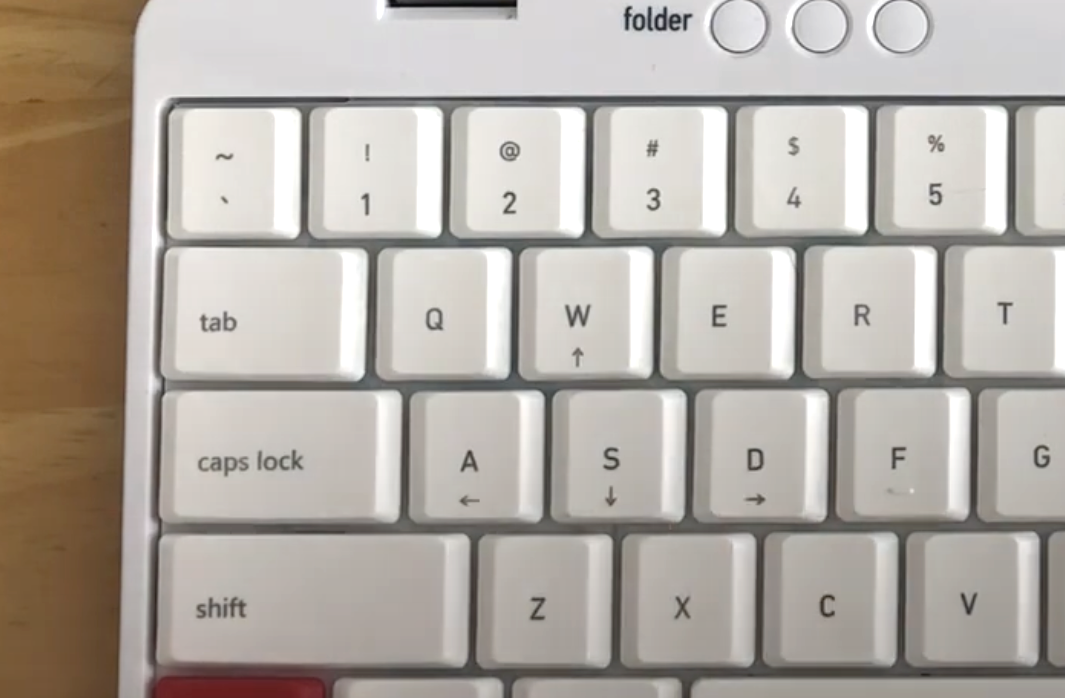
To move the cursor, hold the right [new] key and use the [W], [A], [S], [D] keys to move the cursor up, down, left, and right respectively. For your convenience, the cursor is designed to jump one word at a time left and right, or one paragraph up and down within a draft.
To move the cursor one character at a time left and right, or one line at a time up and down within a draft, hold down the right [new] key, the right [shift] key, and use the [W], [A], [S], [D] keys to navigate throughout your document.
Watch the moving cursor function in action: https://www.youtube.com/watch?v=-TEGctywGfo&t=7s
Was this helpful?
Related articles
Still need help?
Contact support