How To Create A Postbox Account Without A Freewrite Device
Published March 31, 2026·Updated August 5, 2026·2 min read
Use this article to create a Freewrite Postbox account without a device.
If you have a Freewrite tool, the device will onboard you onto Postbox the first time you use it. See this reference article: https://support.getfreewrite.com/article/12-introduction-to-postbox
Step 1: Go To Sprinter
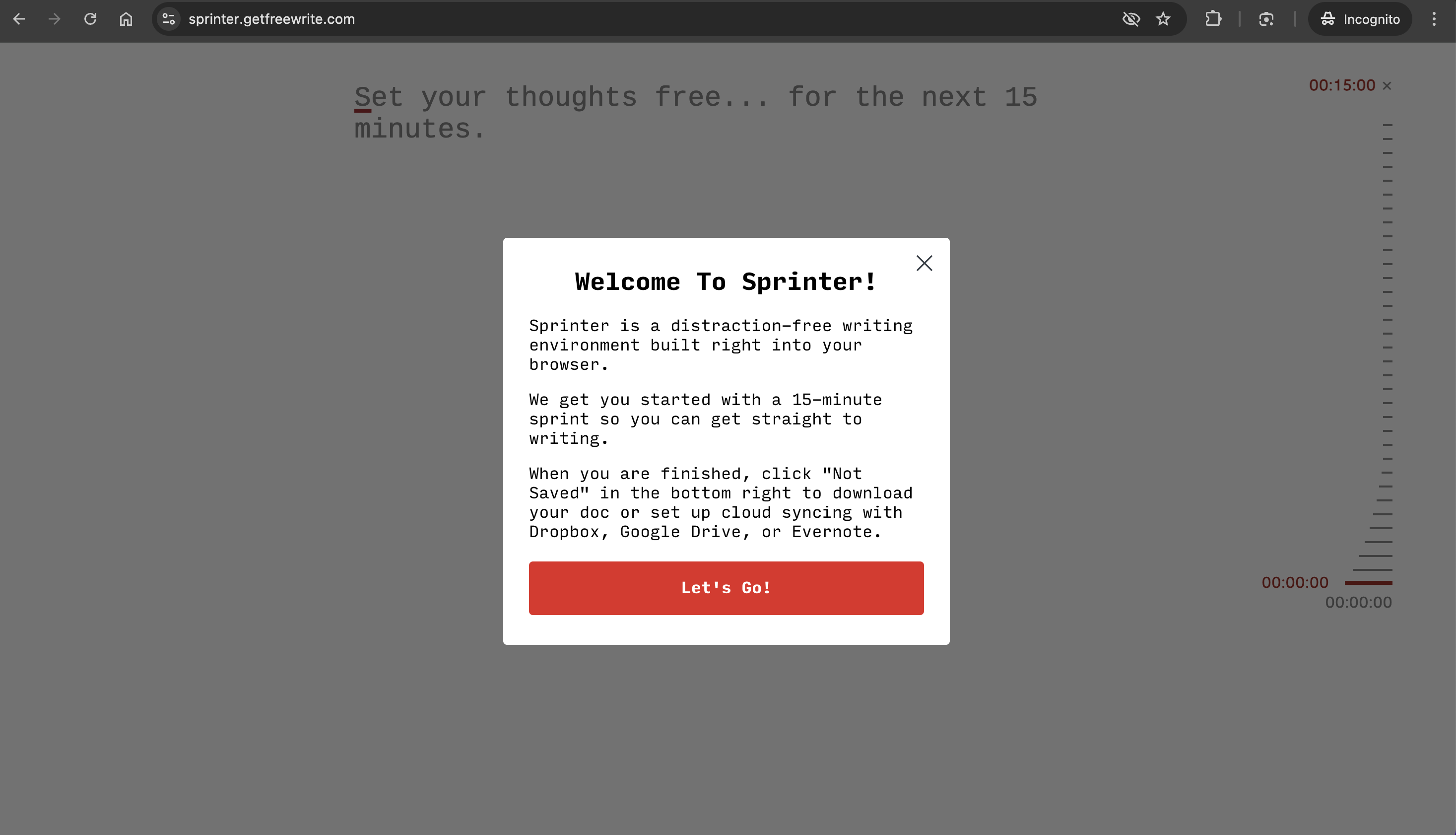
- Visit sprinter.getfreewrite.com.
- Read the introduction.
- Click the [Let's Go!] button.
Step 2: Save A Draft
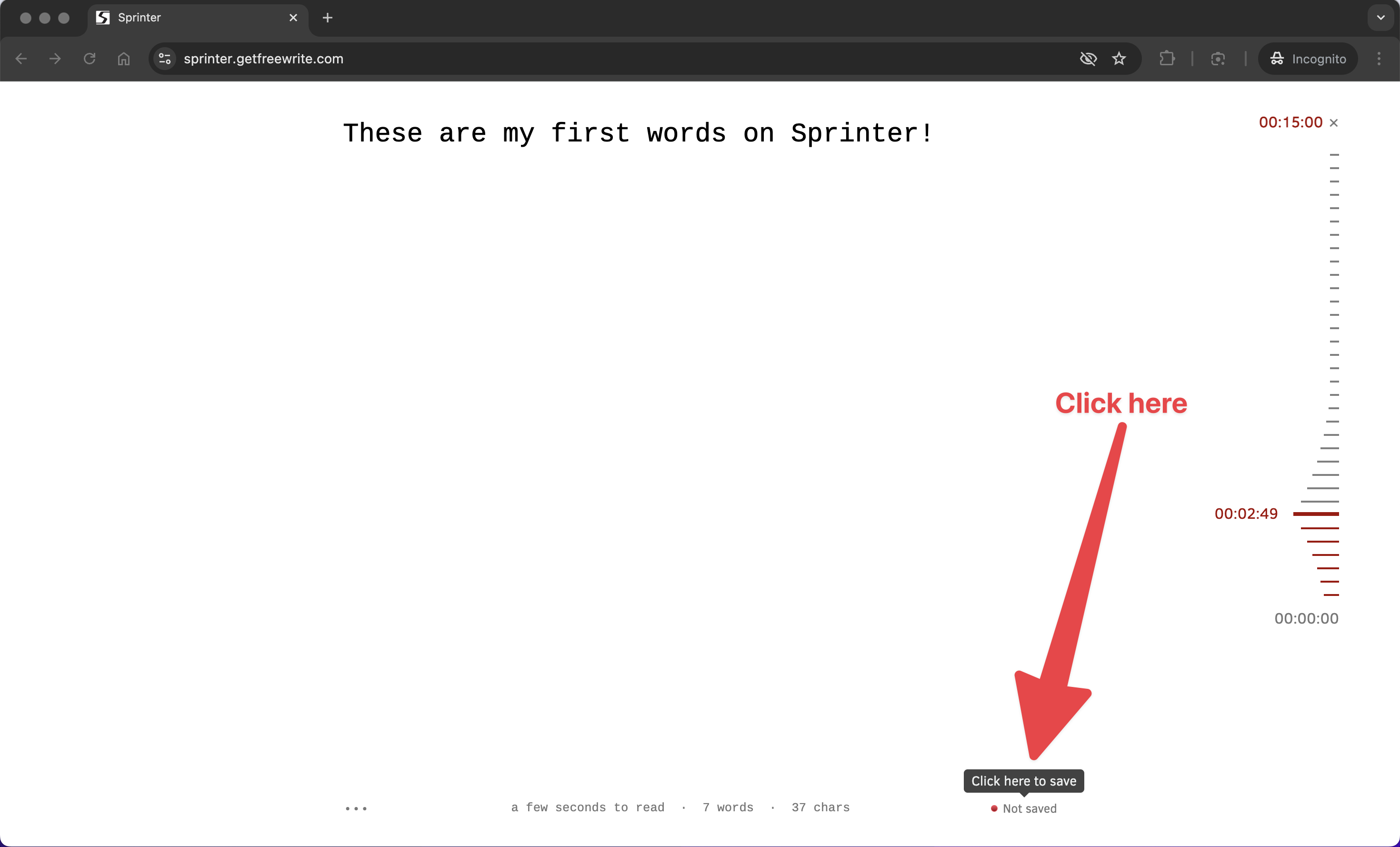
- Type a few words to start a new document. (In the example, "These are my first words on Sprinter!")
- Click the "🔴 Not Saved" text in the bottom right corner. (See arrow in example.)
Step 3: Enter Your Email Address
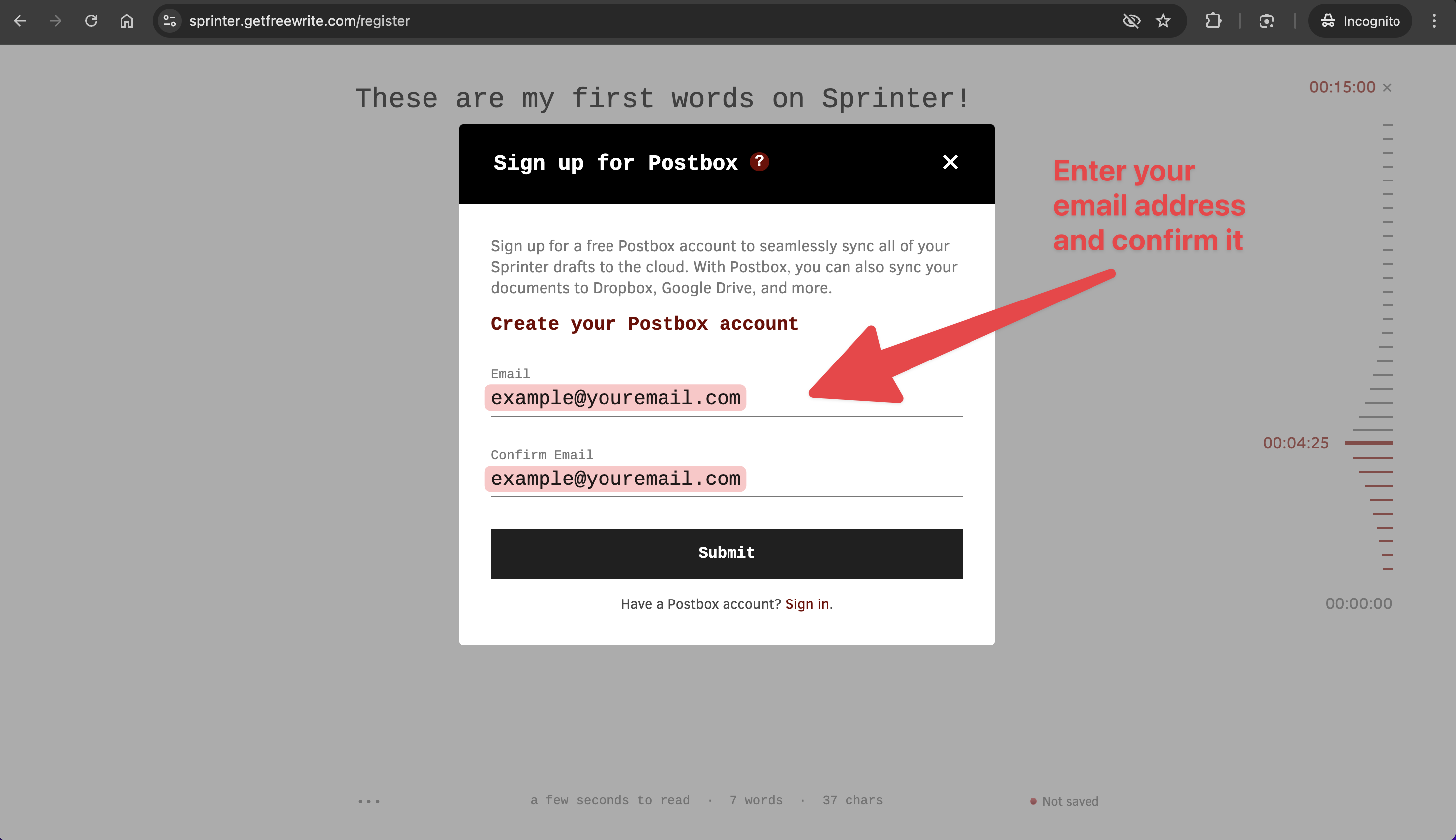
- Enter the email address you'd like to use for Postbox in both entries.
- Click the [Submit] button.
Step 4: Check Your Email
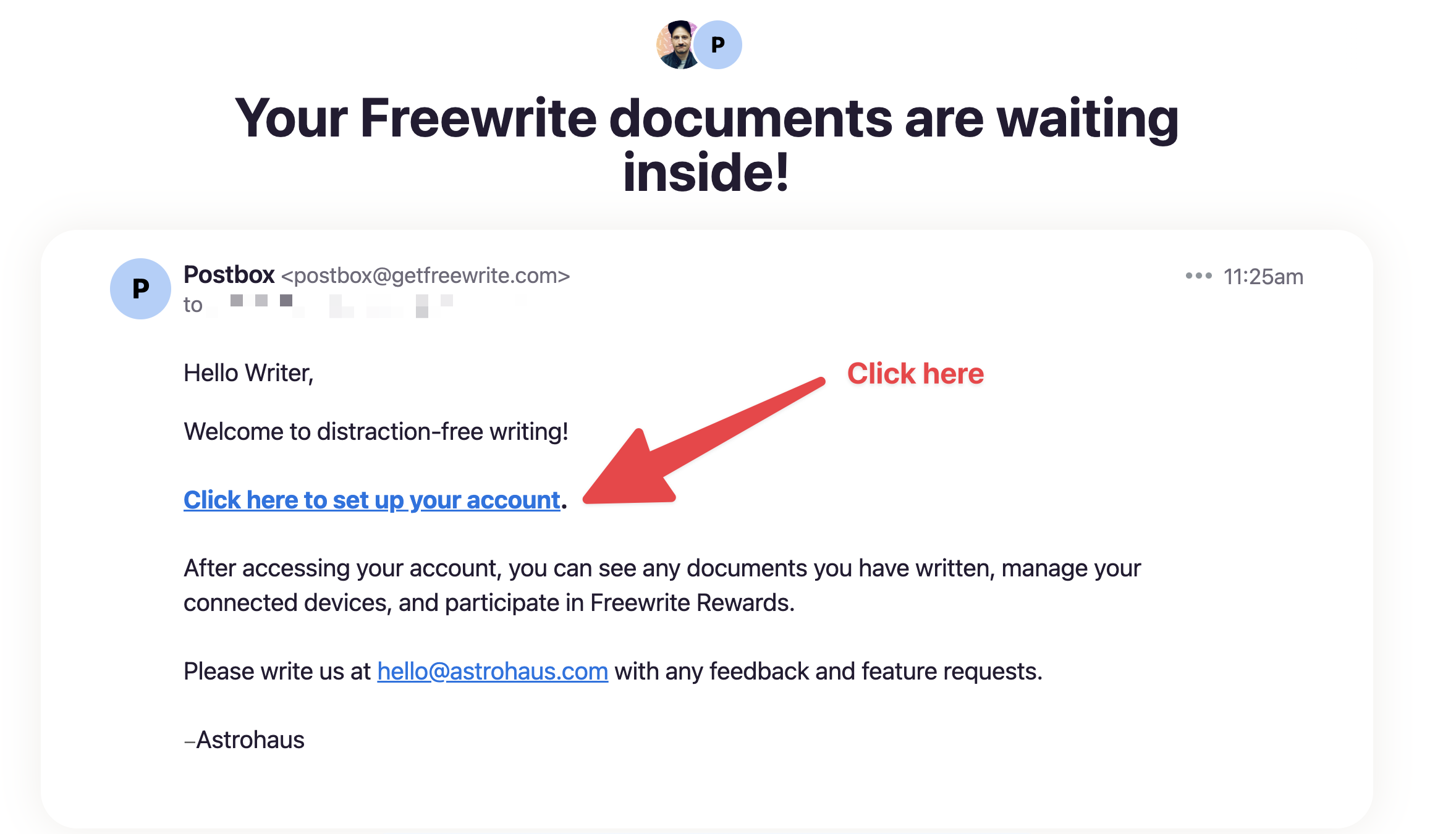
- Check your email for an email from Postbox titled "Your Freewrite documents are waiting inside!"
- Click the link: "Click here to set up your account."
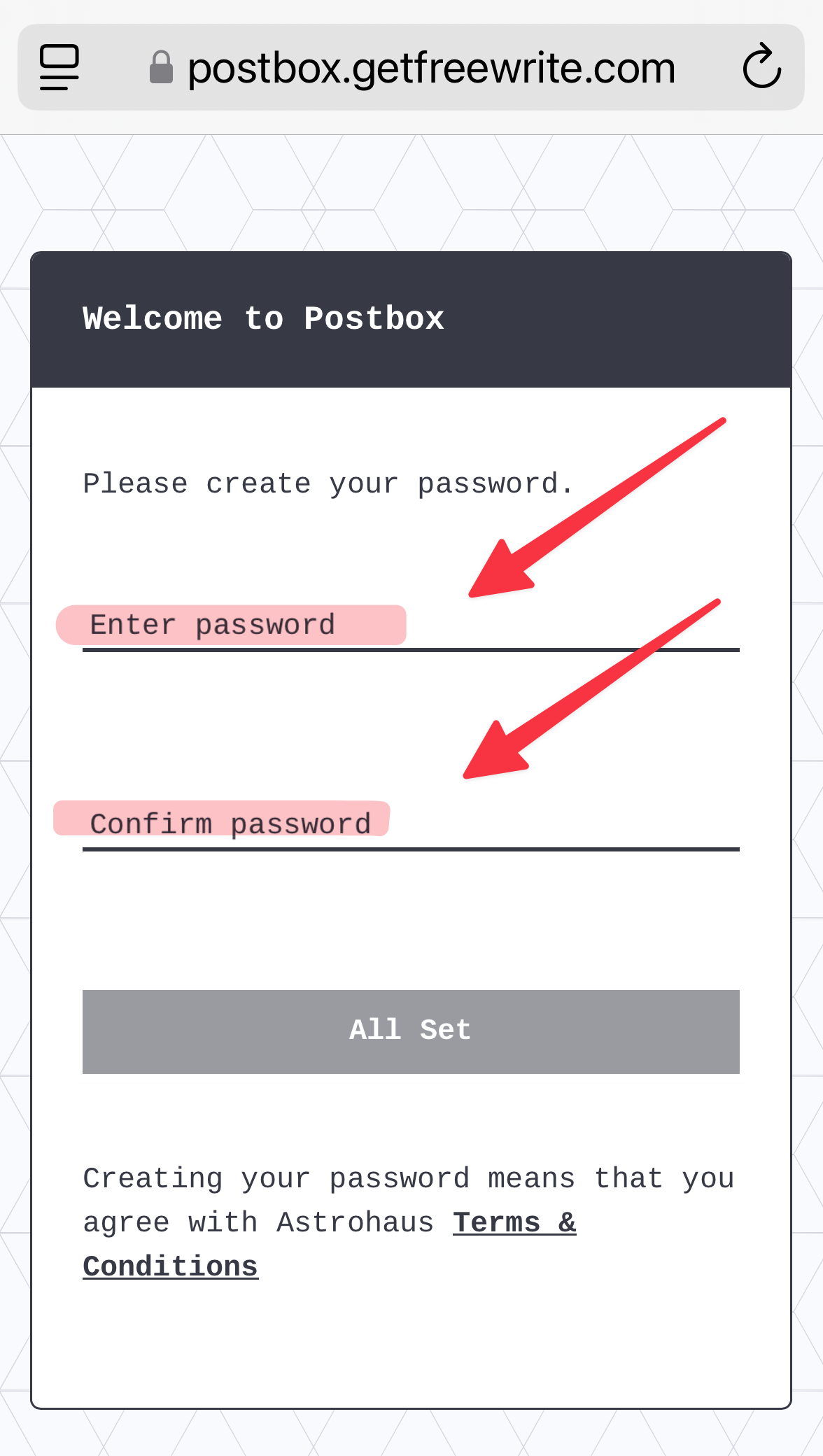
Step 5: Set A Password
- You will be taken to Postbox to set a password.
- Enter your desired password twice.
- Click [All Set].
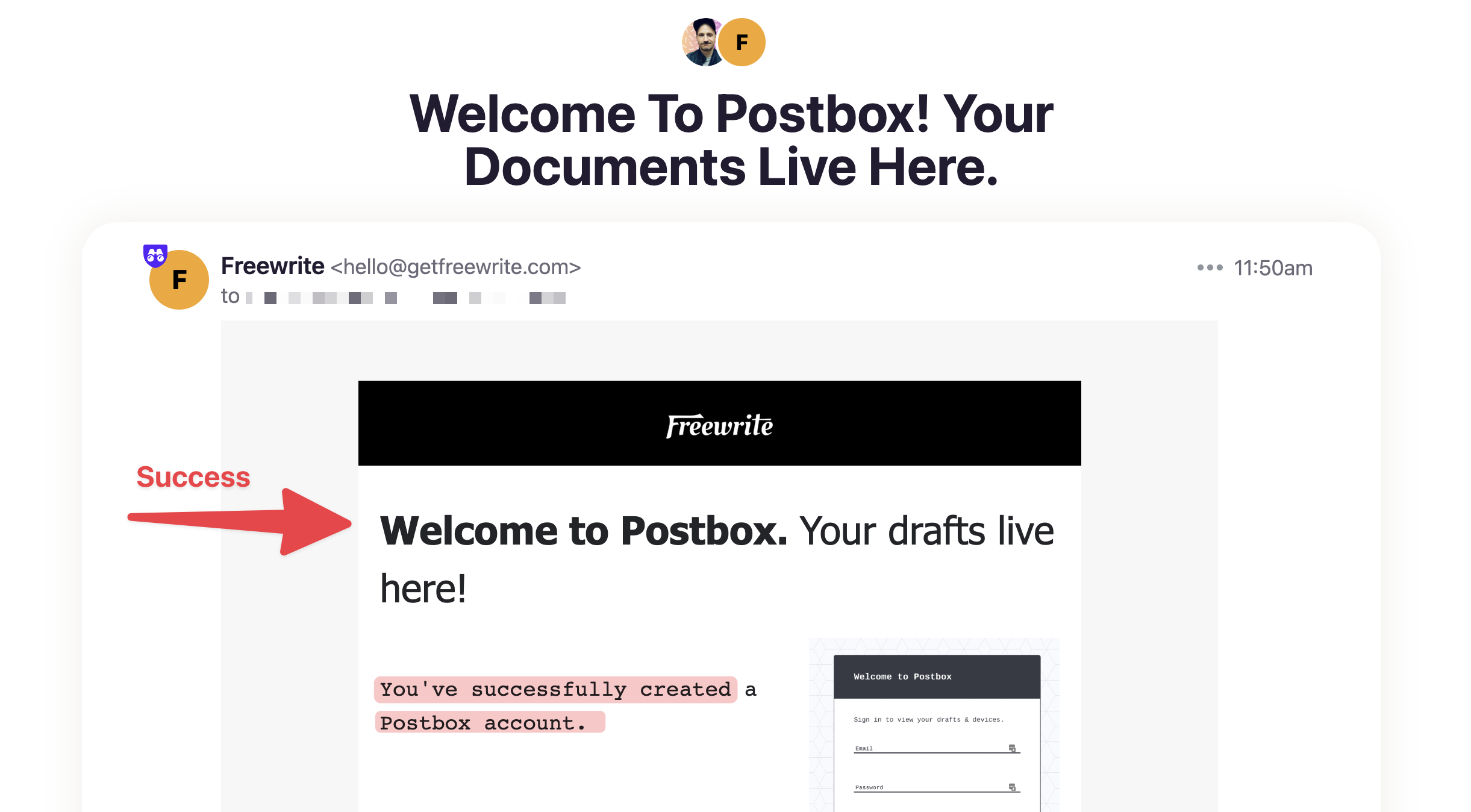
Step 6: Postbox Account Confirmation
- In your email, you'll receive an email from Freewrite titled "Welcome To Postbox! Your Documents Live Here."
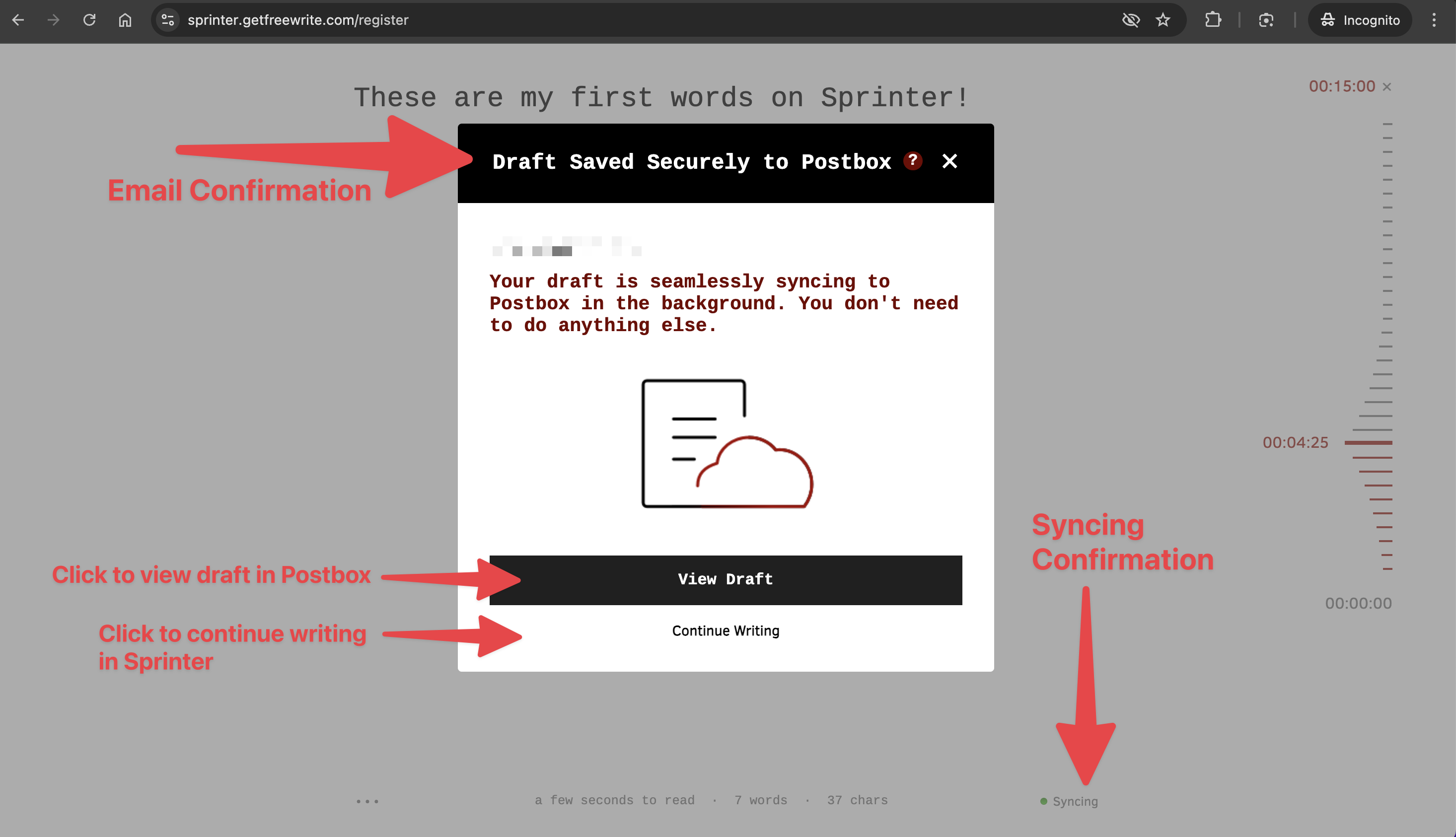
Step 7: Sprinter Syncing Confirmation
- When you return to Sprinter, you will see that your draft is now syncing with Postbox. (It will say "🟢 Syncing" in the bottom right-hand corner.)
- You may click [View Draft] to be taken to Postbox to view your draft, or you may click [Continue Writing] to remain in Sprinter and add to your draft.
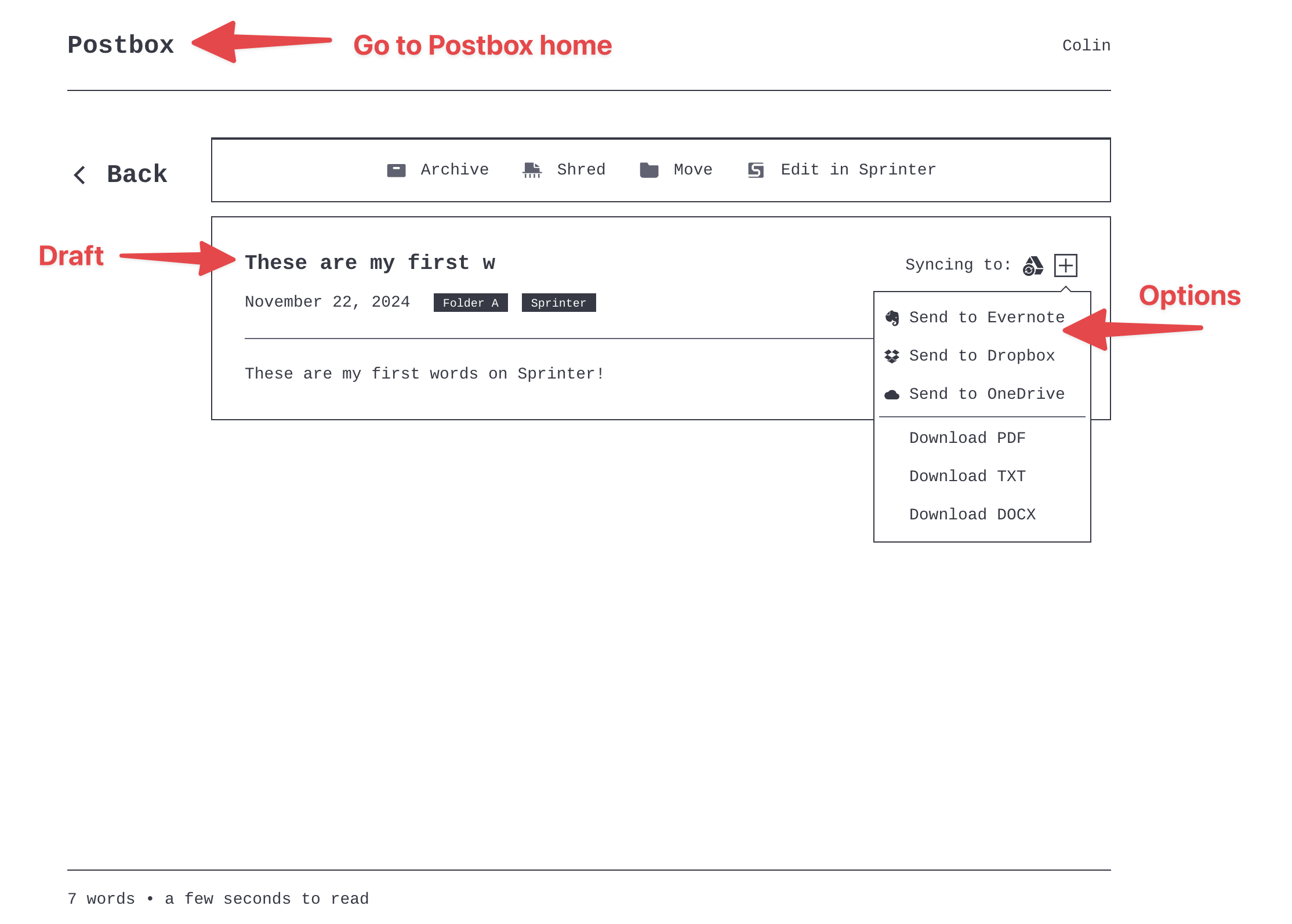
Step 8: View Draft In Postbox
- In Postbox, you will see your draft.
- Click the [+] button to set up syncing options or to download the draft.
- Click the word "Postbox" at the top of the page to go to your Postbox home page.
Step 9: Postbox Home
- Click the word "Postbox" in the top left corner to go to your Postbox home page.
- You will see a list of all of your drafts, organized chronologically.
- You can click the name or email in the top right corner to review your Account settings.
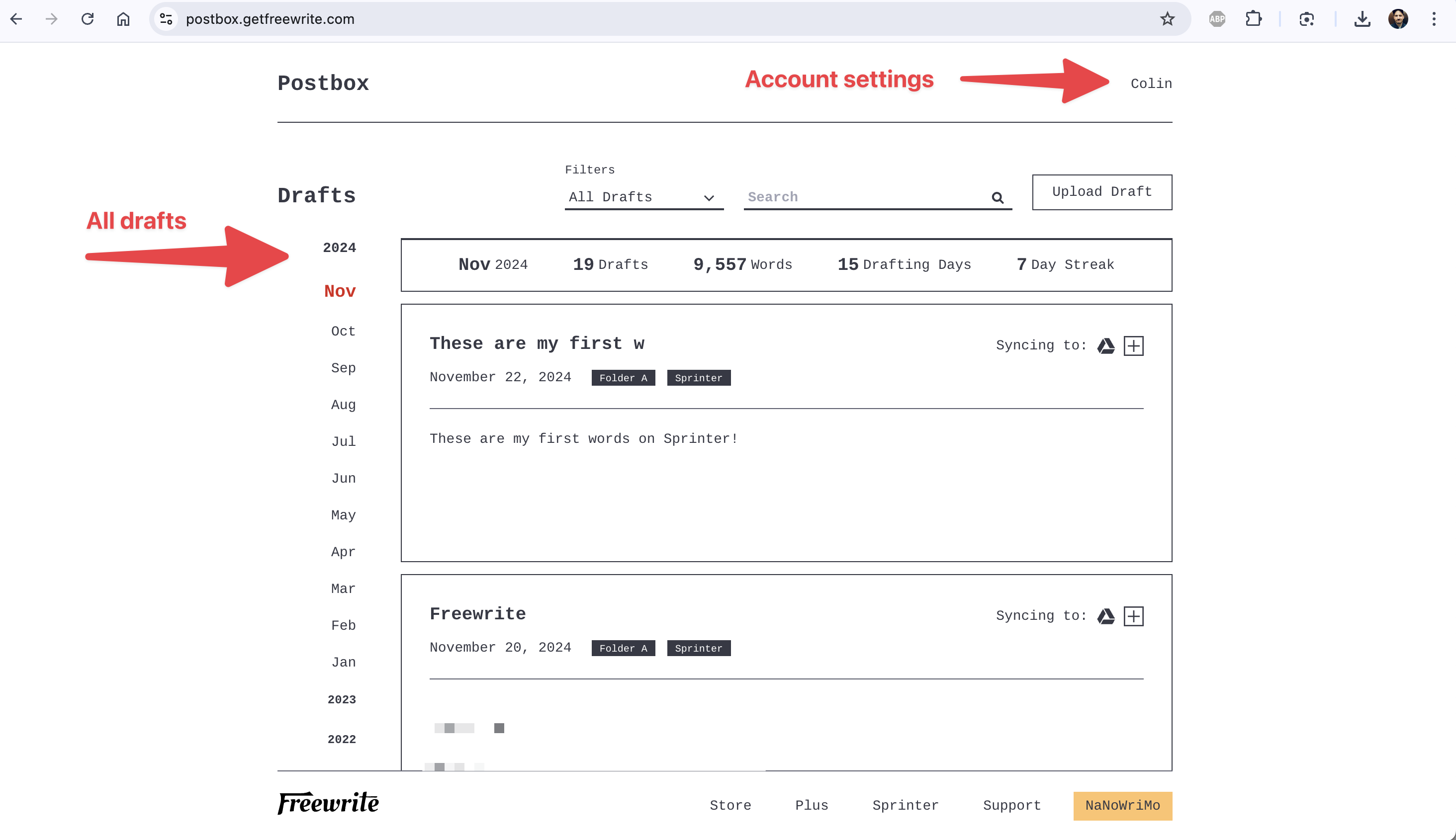
Step 10: Postbox on Your Device
If you purchase a Freewrite device:
- When prompted by the device, input the email address you used during setup in this process.
- Your Freewrite will automatically begin syncing to your existing Postbox account!
If you have any questions, reach out to our support team at hello@getfreewrite.com
Write on!
Was this helpful?
Related articles
Still need help?
Contact support